
Natavision
Natalog Installation
The following are detailed instructions on how to download, install, and run the Natalog software.
Step 1. Click the button below to download the installation file.
This will save an installation file on your computer. This typically takes a few seconds to a minute, depending on your Internet connection. You may be asked where you would like to save the file, or the file may automatically be saved in your Downloads folder. Note where the file is saved. After the file is downloaded, it may be accessible from your browser, as shown in the following screenshot:
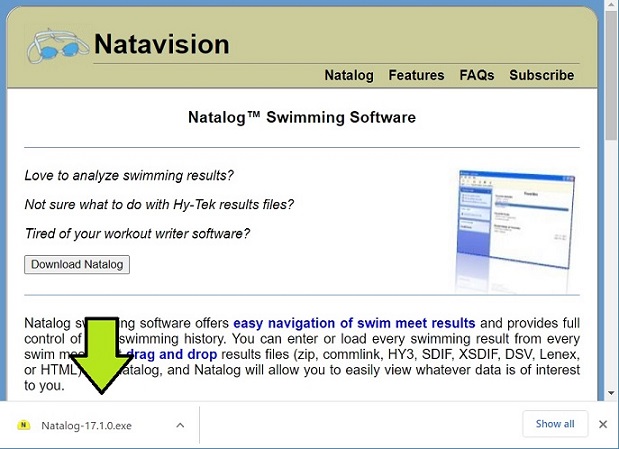
If the downloaded file is not shown, open the folder containing the file.
Step 2. Run the downloaded file.
Once the download is complete, click (or double-click) the downloaded file to run it. It is possible that your anti-virus software will not recognize Natalog and try to block it. You will need to override that action. For example, if Windows Defender SmartScreen blocks it, you will see:
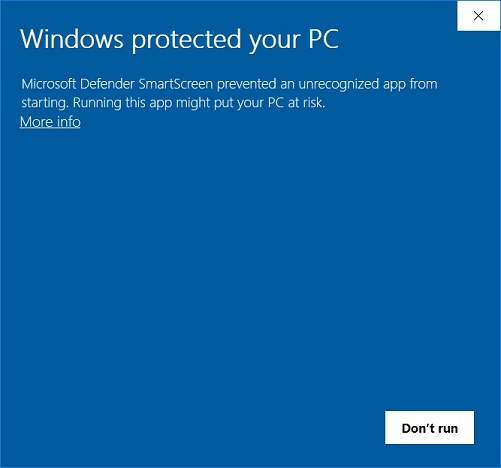
Click the "More info" link to show the "Run Anyway" button:
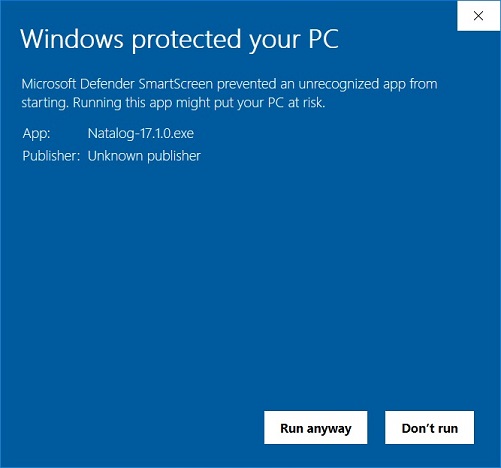
Click the "Run Anyway" button to start the installation. The "Natalog Setup Wizard" will appear.
Step 3. Install Natalog.
After the "Natalog Setup Wizard" appears, click Next and follow the instructions in the window to install Natalog.
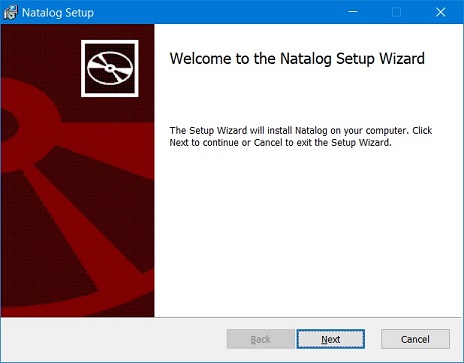
Since you will need administrative access to complete the installation, there may be a long pause and Windows may show you a scary screen asking "Do you want this app to make changes to your device?" The publisher will be shown as "Unknown." Answer Yes to this question. When complete, the installation will automatically put an icon on your desktop and a menu item on your Start Menu. Use these shortcuts to start Natalog.
Step 4. Run Natalog.
To run Natalog, double-click the Natalog icon on your desktop or click the Natalog link on the Start Menu. When Natalog's window appears, you are ready to use Natalog!
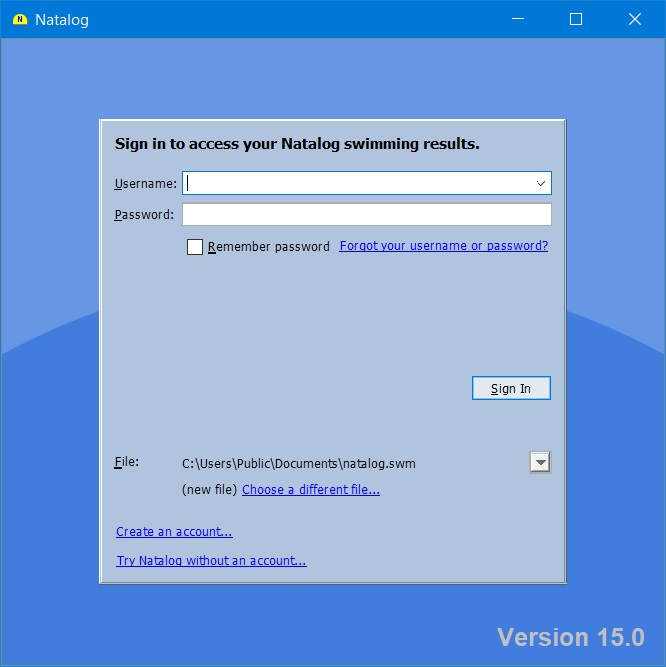
Enter your username and password on the Sign In screen and click Sign In. If you do not have a username and password yet, click the "Create an account" link. If you want to try Natalog before getting a subscription, click the "Try Natalog without an account" link.
If you have any questions or problems regarding these instructions, please contact us.